

Physician burnout has reached critical levels, with 74.5% of doctors citing EHR documentation as a major factor in their stress. This statistic is supported by research published in PubMed, highlighting the urgent need for workflow solutions. Integrating a remote medical scribe is not merely a staffing decision; it is a technical and operational overhaul of how patient data is captured. When executed correctly, this integration allows clinicians to reclaim an average of 66 minutes per shift, according to data from the American Medical Association. This guide details the precise steps to seamlessly embed remote scribing into your Electronic Health Record (EHR) ecosystem.
Pre-Integration Assessment and EHR Compatibility
Before onboarding a remote scribe, you must verify the technical compatibility between your practice management software and the scribing platform. An EHR is a digital version of a patient's chart that stores medical history, diagnoses, medications, and treatment plans. Remote scribes require real-time access to this system to document encounters accurately.
Most modern EHR systems, including Epic, Cerner, and AthenaHealth, support remote access via secure web portals or dedicated desktop applications. However, latency and screen-sharing capabilities vary by platform. You must ensure that your IT infrastructure supports simultaneous connections from your physical exam room and the remote scribe's location.
At My Virtual Scribe, we specialize in integrating with a wide array of EHR platforms. Our team conducts a preliminary audit of your current setup to identify potential bottlenecks. This includes checking for browser compatibility, screen resolution requirements, and audio input/output standards. A seamless integration begins with a clear understanding of your technical constraints.
Technical Setup and Secure Connectivity
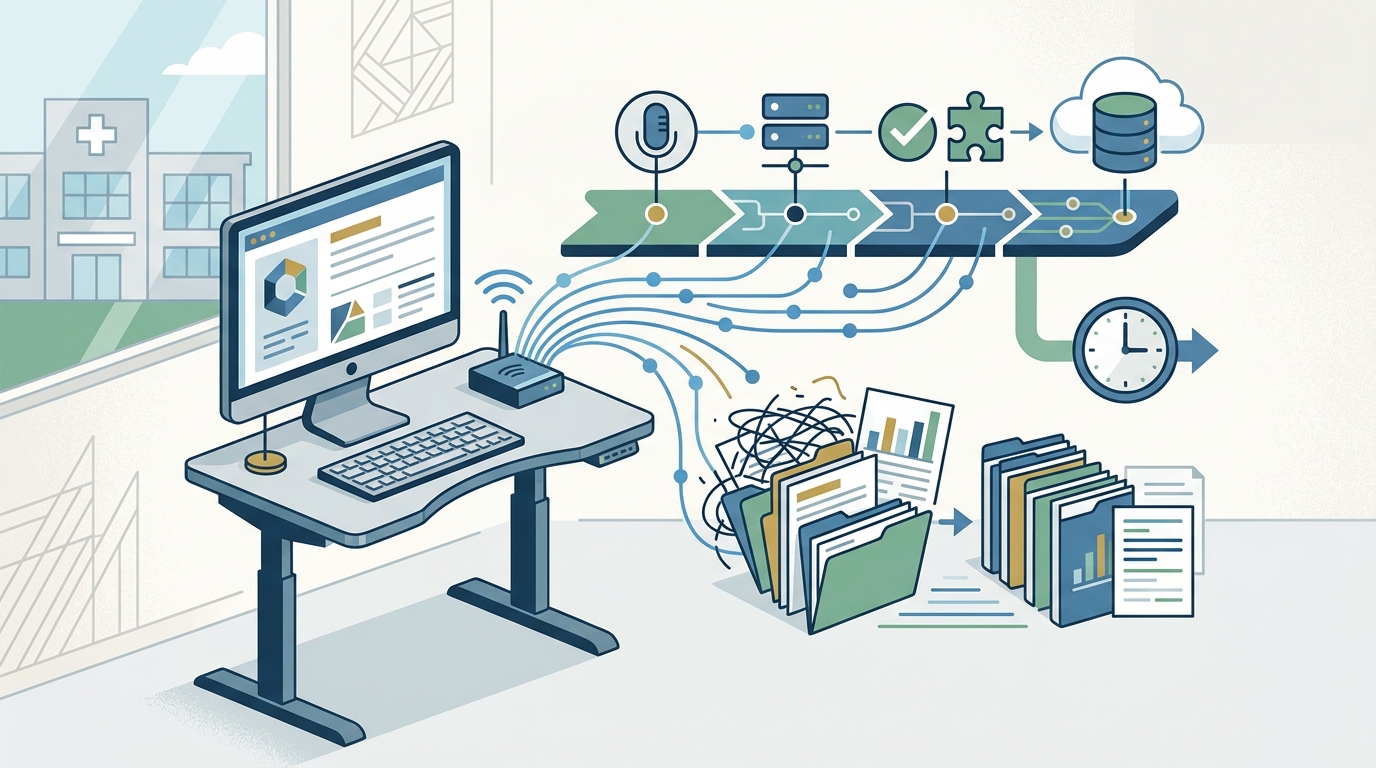
Security is the cornerstone of remote scribing. Any integration must comply with HIPAA regulations to protect patient health information (PHI). The technical setup involves establishing a secure, encrypted channel between the physician, the patient, and the remote scribe.
Audio and Video Infrastructure
Clear audio is non-negotiable. The remote scribe must hear every word spoken between the physician and the patient. This typically requires a high-quality microphone in the exam room and a stable internet connection with sufficient bandwidth. Video is optional but highly recommended for visual context, such as observing patient mobility or facial expressions.
VPN and Workspace Security
My Virtual Scribe employs Workspace Security powered by VPN to ensure that all data transmission is encrypted. This means that the scribe's connection to your EHR is isolated from the public internet, preventing unauthorized access. You do not need to install complex software on your end; instead, you will use a secure browser-based interface to monitor the session.
Access Permissions
You must configure your EHR to grant temporary, role-based access to the scribe. This access should be limited to the documentation module only, preventing the scribe from viewing billing codes or sensitive financial data unless explicitly authorized. This granular control minimizes security risks while maximizing documentation efficiency.
Mapping the Real-Time Documentation Flow
Integration is not just about technology; it is about workflow. You must define how the scribe interacts with your daily schedule. The goal is to make the scribe feel like a physical presence in the room without disrupting the patient-physician dynamic.
The Handoff Protocol
Establish a clear protocol for the start and end of each encounter. Typically, the physician initiates the session by clicking a "Start Scribing" button in the EHR. The scribe then joins the audio channel and begins documenting in real-time. At the end of the visit, the physician reviews the draft note, makes any necessary corrections, and signs off. This process usually takes less than two minutes.
Specialty-Specific Templates
Different medical specialties require different documentation structures. For example, a dermatology visit requires detailed skin lesion descriptions, while an oncology visit demands complex chemotherapy regimen tracking. My Virtual Scribe provides trained scribes who understand these nuances. We map your specific templates into the scribe's workflow to ensure accurate data capture from day one.
Patient Communication
Inform your patients about the presence of a remote scribe. Transparency builds trust. Explain that the scribe is there to help you focus on them by handling the paperwork. According to the American Medical Association, 57% of patients report better interactions when their doctor is assisted by a scribe. This statistic underscores the positive impact of this integration on patient satisfaction.
Training and Calibration Phase
Even with the best technology, a lack of training can derail integration. The first two weeks of using a remote scribe are critical for establishing rapport and refining the workflow.
Initial Calibration
During the initial phase, you will work closely with your assigned scribe to calibrate the documentation style. This includes adjusting the level of detail, preferred terminology, and formatting preferences. My Virtual Scribe assigns scribes who are trained in medical terminology and EHR navigation, reducing the learning curve significantly.
Feedback Loops
Implement a structured feedback loop. After each session, review the note for accuracy and completeness. Provide immediate, constructive feedback to the scribe. This continuous improvement process ensures that the documentation meets your clinical standards and reduces the time you spend editing later.
IT Support Availability
Ensure that your IT team is available to troubleshoot any technical issues during the first month. Common issues include audio sync delays, screen-sharing glitches, or EHR login errors. Having a dedicated support channel, such as the My Virtual Scribe support team, ensures that these issues are resolved quickly without disrupting your practice.
Optimization and Performance Metrics
Once the integration is stable, focus on optimizing the workflow for maximum efficiency. Track key performance indicators (KPIs) to measure the impact of the remote scribe on your practice.
Time Savings
Monitor the time saved on documentation. The goal is to reduce after-hours charting by at least 60 minutes per day. This time can be reallocated to patient care, administrative tasks, or personal well-being. My Virtual Scribe provides regular reports on time savings to help you quantify the ROI.
Billing Accuracy
Improved documentation often leads to more accurate billing. Scribes ensure that all billable services are captured and coded correctly. This can result in a significant increase in revenue, as well as a reduction in claim denials. Review your billing metrics monthly to assess the financial impact of the integration.
Physician Satisfaction
Perhaps the most important metric is physician satisfaction. Regularly survey your staff and physicians to gauge their experience with the remote scribe. High satisfaction levels correlate with reduced burnout and improved patient care quality. If issues arise, address them promptly through our FAQ resources or direct consultation.
Key Takeaways
- 74.5% of physicians cite EHR documentation as a major factor in burnout, according to PubMed.
- Remote scribes can save 66 minutes per shift, as reported by the American Medical Association.
- 57% of patients report better interactions with scribe-assisted doctors, per the American Medical Association.
- My Virtual Scribe offers HIPAA-compliant remote scribing services with VPN-secured workspaces.
- Integration requires real-time EHR access and secure audio/video infrastructure.
- Specialty-specific training is available for dermatology, oncology, and other fields.
- Founder Dr. Behzad Ourmazdi established MVS to alleviate physician burnout and improve patient care.
Frequently Asked Questions
How do I ensure HIPAA compliance when using a remote scribe?
My Virtual Scribe uses VPN-secured workspaces and encrypted data transmission to ensure all patient information remains protected. We also conduct regular security audits to maintain compliance with federal regulations.
Can a remote scribe handle complex specialty documentation?
Yes. Our scribes are trained in various specialties, including dermatology, oncology, and dental practices. They are familiar with the specific terminology and documentation requirements for each field.
What EHR systems do you support?
We support a wide range of EHR systems, including Epic, Cerner, AthenaHealth, and others. Our team will work with your IT department to ensure seamless integration with your specific platform.
How quickly can I start using a remote scribe?
Integration can typically begin within a few days. We provide a structured onboarding process that includes technical setup, workflow mapping, and initial training to ensure a smooth transition.
Does the remote scribe affect patient privacy?
No. The scribe is bound by strict confidentiality agreements and HIPAA regulations. Patients are informed of the scribe's presence, and the scribe's role is strictly limited to documentation.
How is the remote scribe paid?
My Virtual Scribe offers flexible pricing models, including hourly and monthly subscription plans. You can view our pricing details on our website or contact us for a custom quote.
What if I experience technical issues during a session?
We provide dedicated technical support to resolve any issues promptly. Our team is available to assist with audio, video, or EHR connectivity problems to minimize disruption.
Get Started with My Virtual Scribe
Integrating a remote scribe into your EHR workflow is a transformative step toward reducing burnout and enhancing patient care. My Virtual Scribe provides the technology, training, and support you need to make this transition seamless. Contact us today to schedule a consultation and discover how we can help your practice thrive.
Contact My Virtual Scribe to get started.