

Integrating Remote Scribes Into Your Existing EHR Workflow
Physician burnout has reached critical levels, with 74.5% of doctors citing EHR documentation as a major factor in their exhaustion. This statistic is not just a number; it is a daily reality for clinicians who spend more time staring at screens than looking at patients. The American Medical Association reports that using a medical scribe saves an average of 66 minutes per 8-hour shift. This time is not merely administrative; it is the difference between a sustainable career and complete professional collapse. Integrating a remote scribe is the most effective solution to reclaim that time, but the technical and operational integration requires precision. This guide details the exact steps to seamlessly weave virtual documentation into your current Electronic Health Record (EHR) ecosystem without disrupting patient care.
Understanding the Remote Scribe Ecosystem
Before touching any software settings, you must understand the fundamental shift in your practice's operational model. A remote medical scribe is not a passive observer. They are an active participant in your clinical workflow, listening to the patient encounter and documenting in real-time. This requires a high-fidelity audio and visual connection between the exam room and the scribe's secure workstation.
The core value proposition is simple yet profound. When a scribe handles the documentation, you maintain eye contact with the patient. This interaction is critical because 57% of patients report better interactions when their doctor is assisted by a scribe. The integration process begins with selecting a provider that understands your specific specialty. Whether you are in dermatology, oncology, or general practice, the terminology and documentation requirements vary significantly. My Virtual Scribe specializes in tailoring these services to ensure that the scribe speaks your clinical language from day one.
Technical Infrastructure and Security
Security is the non-negotiable foundation of any remote scribe integration. Because the scribe is accessing Protected Health Information (PHI), the connection must be impenetrable. The integration process starts with verifying your practice's IT readiness. You need a stable, high-bandwidth internet connection in the exam room to prevent audio dropouts, which can lead to documentation errors.
My Virtual Scribe utilizes Workspace Security powered by VPN technology to ensure that all data transmission is encrypted. This is not just a feature; it is a requirement for HIPAA compliance. When you contact the MVS team, they will guide you through the specific hardware requirements. Typically, this involves a laptop or tablet for the scribe and a secure audio input device in the exam room. The scribe will use a secure portal to log in, ensuring that only authorized personnel can access your patient data.
It is crucial to establish a clear protocol for data privacy. Your practice must have a Business Associate Agreement (BAA) in place with your scribe provider. This legal document outlines the responsibilities of both parties in protecting patient information. Without a BAA, the integration is not only ineffective but legally perilous. My Virtual Scribe provides this framework, allowing you to focus on the technical setup rather than legal compliance.
Step-by-Step EHR Integration
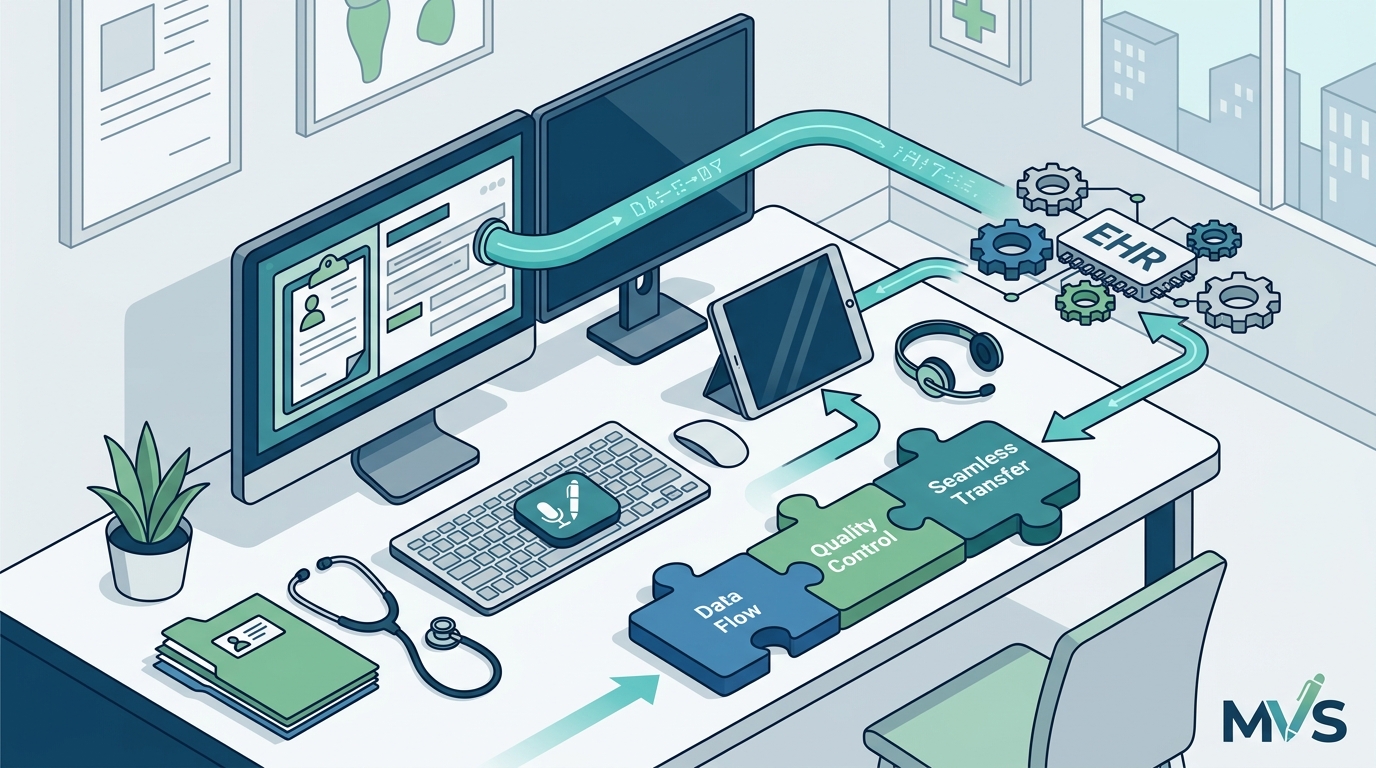
The most complex part of the process is the actual integration with your existing EHR system. Most major EHR platforms, including Epic, Cerner, and AthenaHealth, support remote scribe workflows. The integration does not require a complete system overhaul. Instead, it relies on standard user access protocols.
1. User Account Creation
The first step is to create a user account for your remote scribe within your EHR system. This account should have the appropriate permissions to view and edit patient charts but should not have administrative privileges. Work with your EHR administrator to set up these roles. The scribe will need to log in using their own credentials, ensuring that every note is attributed to them, not you. This distinction is vital for billing and legal purposes.
2. Audio and Video Setup
Once the account is active, you must set up the audio and video connection. This involves installing any necessary plugins or applications on the exam room computer. The scribe will join the session via a secure link. It is important to test this setup before your first patient. Ensure that the microphone picks up the conversation clearly without background noise. Poor audio quality leads to poor documentation, which defeats the purpose of the integration.
3. Real-Time Documentation Protocol
During the patient encounter, the scribe will document in real-time. This means they are typing notes as you speak. The integration is seamless because the scribe is working in the same EHR environment as you. When the encounter is complete, the scribe will finalize the note and flag it for your review. You will then sign off on the note, completing the documentation cycle. This process is significantly faster than documenting after the patient leaves, allowing you to see more patients per day.
Workflow Optimization Strategies
Integration is not just about technology; it is about optimizing your daily workflow. To maximize the benefits of a remote scribe, you must adjust your scheduling and communication protocols. This involves training your staff to understand the new workflow. Your front desk team needs to know how to prepare the exam room for the scribe's virtual presence.
One effective strategy is to schedule scribe-supported appointments back-to-back. This minimizes the time spent on setup and teardown between patients. It also allows the scribe to maintain a consistent rhythm, which improves the quality of documentation. My Virtual Scribe provides transparent pricing and flexible scheduling options to accommodate your practice's volume.
Another optimization strategy is to establish clear communication channels between you and the scribe. Use a secure messaging platform for any immediate questions or clarifications during the encounter. This ensures that any ambiguities are resolved in real-time, preventing errors in the final note. Regular feedback sessions with your scribe are also essential. Discuss any recurring issues or areas for improvement to continuously refine the integration.
Comparing Integration Models
Not all remote scribe services are created equal. Some providers offer generic scribes who may not understand your specialty's nuances. Others provide highly trained specialists who are familiar with your specific EHR system. The table below compares the key features of different integration approaches.
| Feature | Generic Remote Scribe | Specialized Remote Scribe (MVS) | In-Person Scribe |
|---|---|---|---|
| Specialty Knowledge | Low | High | Medium |
| EHR Familiarity | Variable | High | Medium |
| Cost Efficiency | Medium | High | Low |
| Flexibility | Medium | High | Low |
| Security Compliance | Variable | High | High |
As shown, specialized remote scribes offer the best balance of cost, efficiency, and quality. They are trained specifically for your specialty, ensuring that the documentation is accurate and comprehensive. This reduces the need for you to spend time correcting errors, further saving time and reducing frustration.
Key Takeaways
- 74.5% of physicians cite EHR documentation as a major factor in burnout, highlighting the urgent need for integration.
- 66 minutes saved per shift is the average time reclaimed by using a medical scribe, according to the American Medical Association.
- 57% of patients report better interactions when their doctor is assisted by a scribe, improving overall patient satisfaction.
- My Virtual Scribe provides specialized scribes for dermatology, oncology, and other specialties, ensuring high-quality documentation.
- Security is paramount; ensure your provider uses VPN technology and has a valid Business Associate Agreement.
- Integration requires user account creation, audio/video setup, and real-time documentation protocols within your EHR.
- Workflow optimization involves scheduling back-to-back appointments and establishing clear communication channels.
Frequently Asked Questions
How long does it take to integrate a remote scribe?
Integration typically takes one to two weeks, depending on your EHR system's complexity. This includes setting up user accounts, testing audio/video connections, and training your staff. My Virtual Scribe provides dedicated support to ensure a smooth and rapid onboarding process.
Do I need to buy new equipment?
In most cases, no. You can use your existing exam room computers and microphones. However, you may need to install specific plugins or applications to facilitate the secure connection. My Virtual Scribe will provide a detailed list of requirements during the setup phase.
Is remote scribing HIPAA compliant?
Yes, remote scribing is fully HIPAA compliant when performed by a reputable provider. My Virtual Scribe uses VPN technology and maintains strict security protocols to protect patient data. We also provide a Business Associate Agreement to outline our compliance responsibilities.
Can a remote scribe handle complex specialties?
Absolutely. My Virtual Scribe offers specialized scribes for dermatology, oncology, dental, and other fields. These scribes are trained in the specific terminology and documentation requirements of your specialty, ensuring accurate and efficient note-taking.
How does billing work with a remote scribe?
Billing for scribe services is typically handled through a monthly subscription or hourly rate. My Virtual Scribe offers competitive pricing that reflects the value of the time saved. You can bill for the scribe's services in certain contexts, but it is important to consult with your billing specialist to understand the specific rules for your practice.
What happens if the internet goes down?
My Virtual Scribe has robust contingency plans for technical issues. In the event of a connection failure, the scribe can switch to a backup network or pause the session until connectivity is restored. We prioritize reliability to ensure that your patient care is never disrupted.
Can I switch from an in-person scribe to a remote one?
Yes, many practices successfully transition from in-person to remote scribes. The benefits include cost savings, increased flexibility, and access to specialized talent. My Virtual Scribe can help you manage this transition, ensuring that your workflow remains uninterrupted.
Get Started Today
Integrating a remote scribe is not just a technical upgrade; it is a strategic decision to protect your well-being and enhance patient care. By reclaiming the 66 minutes you lose to documentation each day, you can return to the core of your profession: helping people. My Virtual Scribe is ready to support you through every step of this process, from initial setup to ongoing optimization.
Do not let EHR documentation continue to drain your energy. Contact My Virtual Scribe today to schedule a consultation and discover how our specialized remote scribes can transform your practice. Visit our contact page to get started.